
Basic Configuration
-- Work in progress --
Please feel free to edit and add to, or clarify and expand where needed.
Limitations of Module
- The widget only works on the Entity edit page. There is no field formatter associated with entity displays yet.
- The widget is only available to entity reference fields.
- The options for grouping a field is limited to booleans and entity references.
Download and install Group by Field Widget
- Visit Group by Field Widget project page, then download and install module using Drupal guide to installing modules.
- Go to [domain]/admin/modules and enable Group by Field Widget.
- Visit the "Manage form display" page of the entity you want to modify.
- Change the widget style of the field to Group by field reference widget.
- You must now click the gear to select up to three nested groupings.
- The first choice will be the outer most field grouping and the last will be the inner most. Second and third groupings are optional.
- Note if your reference method for your field is set to "Views: Filter by an entity reference view" then you will also need to set the allowed bundles to populate the group by field.
- Update the widget settings and Save the "Manage form display" page.
Use case
Say you are a university with multiple campuses and need to create a form that allows you select digital signs that you want playlists assigned to. You need to create a field that lists all the displays you have across all university campuses. So you create a 'Display' content type with a Field called facilities. A 'Facility' content type with field called campus. Lastly, a 'Campus' taxonomy vocabulary. With this module your displays field can be group by a number of nested fields.
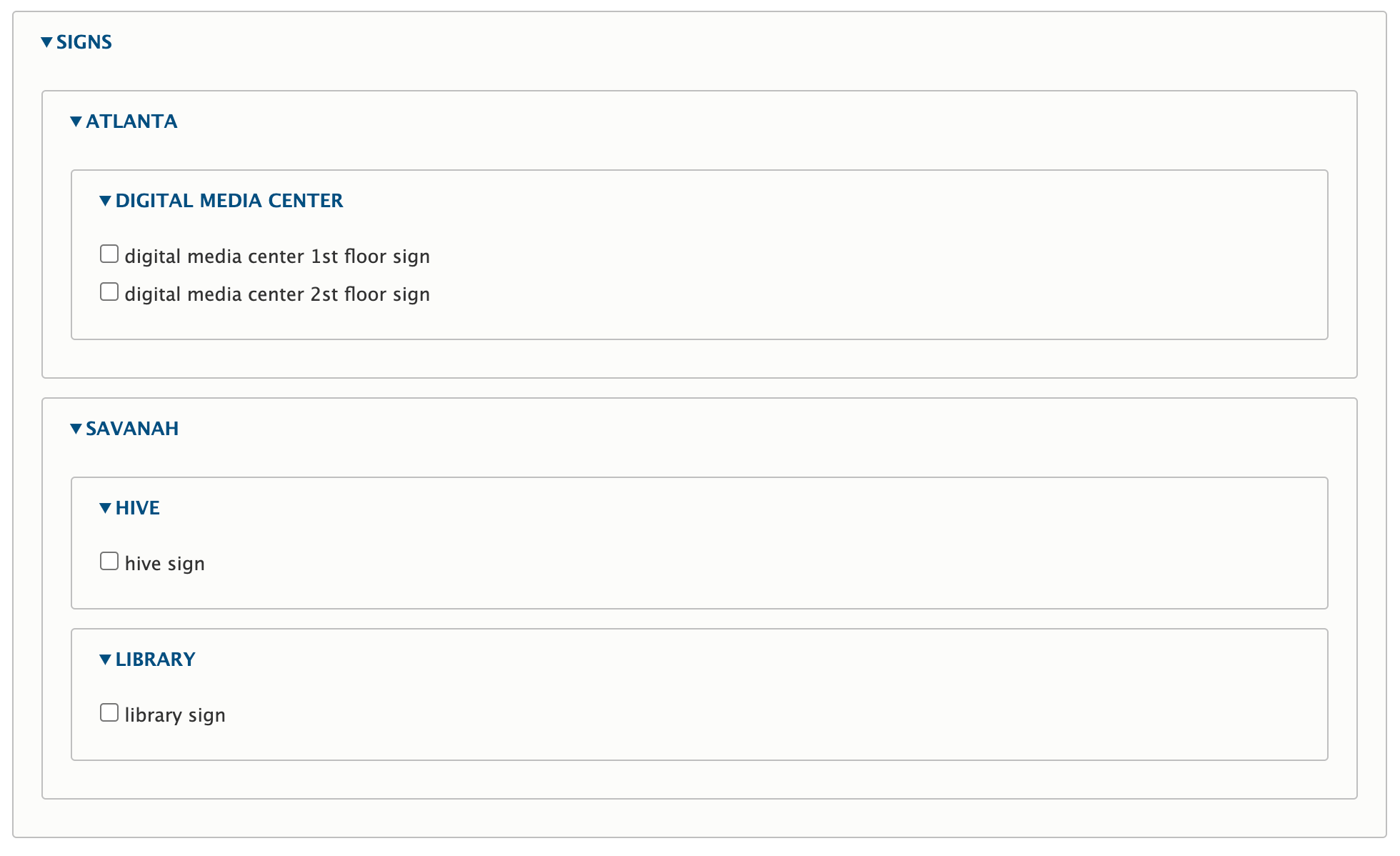
The field you created that lists all signs will need its widget switched to Group by field reference widget. You can then group by Facility or you can group by Campus which is an entity reference field on your facility content type. As you add more boolean and entity reference fields to the Display or Facility, you then be able to group by those also.
Default view
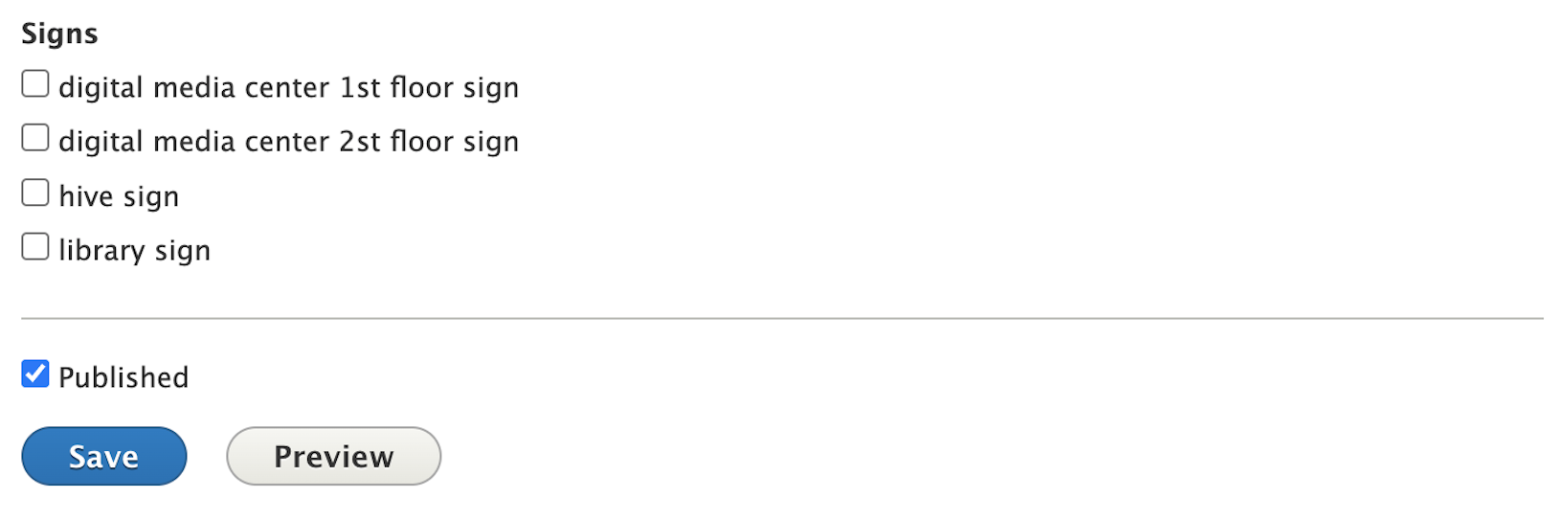
The default checkbox field
Group by Field Widget set

Example of the field widget options
Grouping by facility
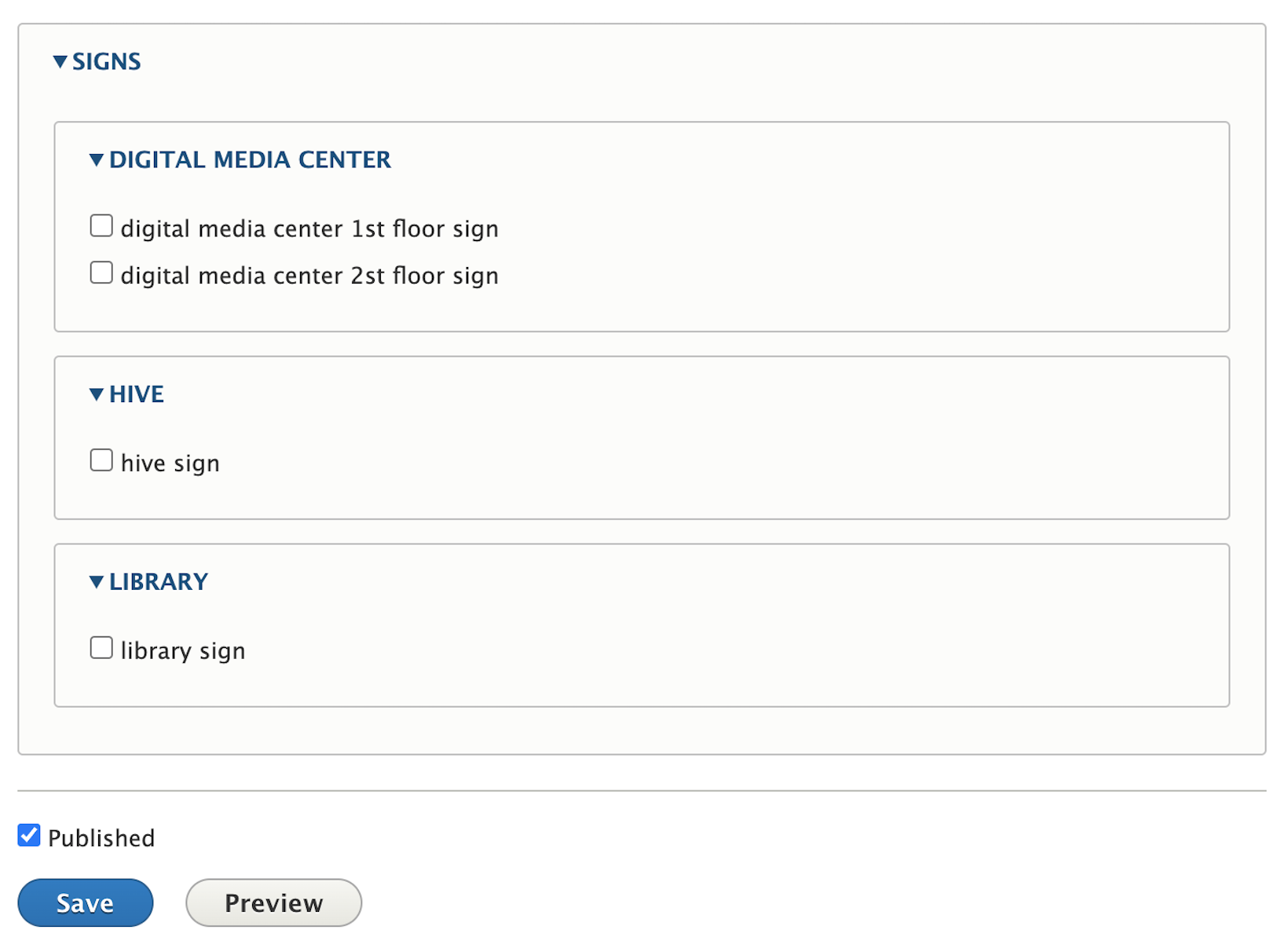
Grouping by facility -> campus
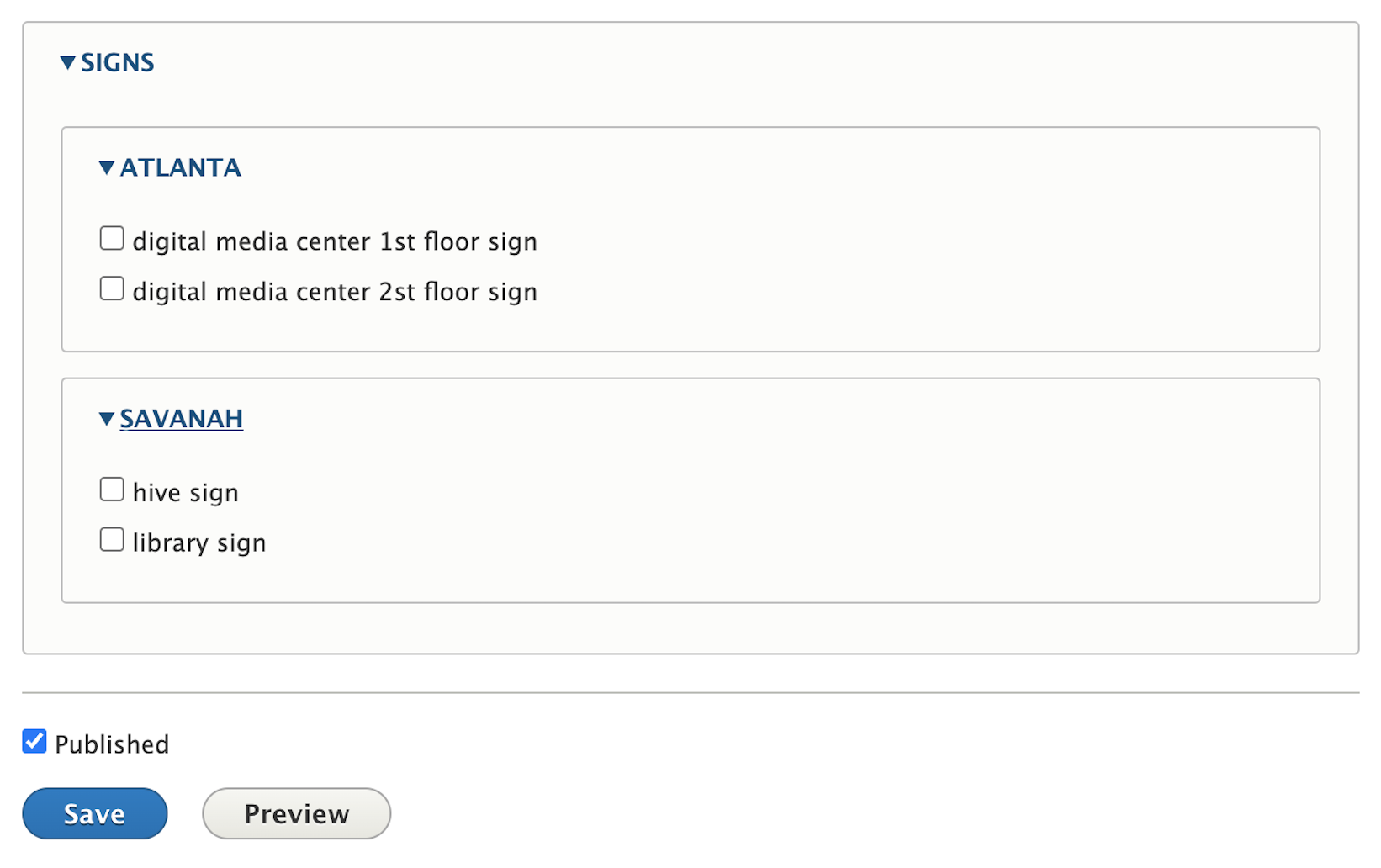
Grouping by facility -> campus, then by facility
Help improve this page
You can:
- Log in, click Edit, and edit this page
- Log in, click Discuss, update the Page status value, and suggest an improvement
- Log in and create a Documentation issue with your suggestion
