



GuideChimp is a JavaScript library for step-by-step product tours. You describe the steps, either as plain objects or as data-guidechimp-* attributes in your HTML. GuideChimp then highlights each element in turn and shows a tooltip next to it.
It has no framework dependency, so it works on a plain web page as well as in single page apps built with Angular, Vue, React and similar tools. People use it to onboard new users, introduce new features, add in-product hints and train staff on internal tools.
import GuideChimp from 'guidechimp';
import 'guidechimp/dist/guidechimp.min.css';

GuideChimp([
    { element: '#search', title: 'Search', description: 'Find anything from here.' },
    { element: '#profile', title: 'Your profile', description: 'Change your settings here.' },
    { title: 'All set', description: 'A step without an element is just a message.' },
]).start();
Prefer HTML? Put the attributes on the elements and start the tour by name:
<button id="search" data-guidechimp-tour="welcome"
        data-guidechimp-title="Search"
data-guidechimp-description="Find anything from here.">Search</button>GuideChimp('welcome').start();- Steps as JavaScript objects or as HTML data attributes.
- Tooltips position themselves next to the highlighted element.
- Pagination, previous and next buttons, a progress bar, and keyboard control (arrow keys, Enter, Space, Esc).
- Custom action buttons. HTML is allowed in titles and descriptions and is sanitized with DOMPurify before it reaches the page.
- Events and callbacks such as
onBeforeChangeandonAfterChange, with several listeners per event. Use them to load data or change the page before a step appears. - Single page app support: steps can wait for elements that render late or appear after a route change, with the lazy-loading plugin or your own
onBeforeChangelistener. - Look and feel: style it with the SCSS source or plain CSS. GuideChimp is a JavaScript class, so you can subclass it and change or add methods.
- Internationalization: see the examples.
- Small: about 24 KB gzipped (75 KB minified).
- Extensible with plugins, and it works with tools you already use, such as WordPress and Confluence.
- Dual-licensed: EUPL-1.2 or Commercial, which includes support, maintenance and customized implementation.
A plugin is a function you pass to GuideChimp.extend():
import GuideChimp from 'guidechimp';
import lazyLoading from 'guidechimp/dist/plugins/lazyLoading';

GuideChimp.extend(lazyLoading, { timeout: 2000 });
The first four plugins live in this repository and are free under the EUPL-1.2.
| Plugin | What it does |
|---|---|
| beacons | Hotspots and hints that draw attention to any element, and can open a tour when clicked. |
| blurredOverlay | Blurs the page behind the highlighted element. |
| lazyLoading | Waits for a step's element to appear (default timeout 5 seconds) before showing the step. |
| vueRouter | Navigates your Vue Router to a step's route before the step is shown. |
Eight more plugins come in the same guidechimp package. They check for a valid licence and show a "non-commercial version" notice without one. See License.
| Plugin | What it does |
|---|---|
| placeholders | Fills {*}-style placeholders in step text with values you set at runtime. |
| templating | Replaces the HTML templates for the tooltip, title, buttons and more. |
| triggers | Runs tour logic when users click, or otherwise interact with, elements you choose. |
| multiPage | Lets one tour span several pages and resumes where the user left off. |
| iFrames | Lets steps target elements inside iframes. |
| googleAnalytics | Sends tour events and timings to Google Analytics. |
| removeAttribution | Removes the GuideChimp attribution from the tooltip. |
| licensing | Validates your licence with Labs64 NetLicensing. |
All plugins are listed on the plugins wiki page.
The Wiki covers installation, configuration, customization and plugins, with examples for real-world scenarios.
GuideChimp is on jsDelivr:
<link rel="stylesheet" href="https://cdn.jsdelivr.net/npm/guidechimp@5.0.5/dist/guidechimp.min.css">
<script src="https://cdn.jsdelivr.net/npm/guidechimp@5.0.5/dist/guidechimp.min.js"></script>
Always pin an exact version. For production, also add integrity and crossorigin="anonymous" to both tags; jsDelivr shows the hash for each file on the package page.
GuideChimp is on npm:
npm install guidechimpThen import the library and its CSS as in the quick start above.
Download a release from GitHub, copy the dist directory into your project and include the files:
<script src="guidechimp/dist/guidechimp.min.js"></script>
<link rel="stylesheet" href="guidechimp/dist/guidechimp.min.css">
We recommend a CDN or npm, because they make it easier to update.
To run the interactive demo locally:
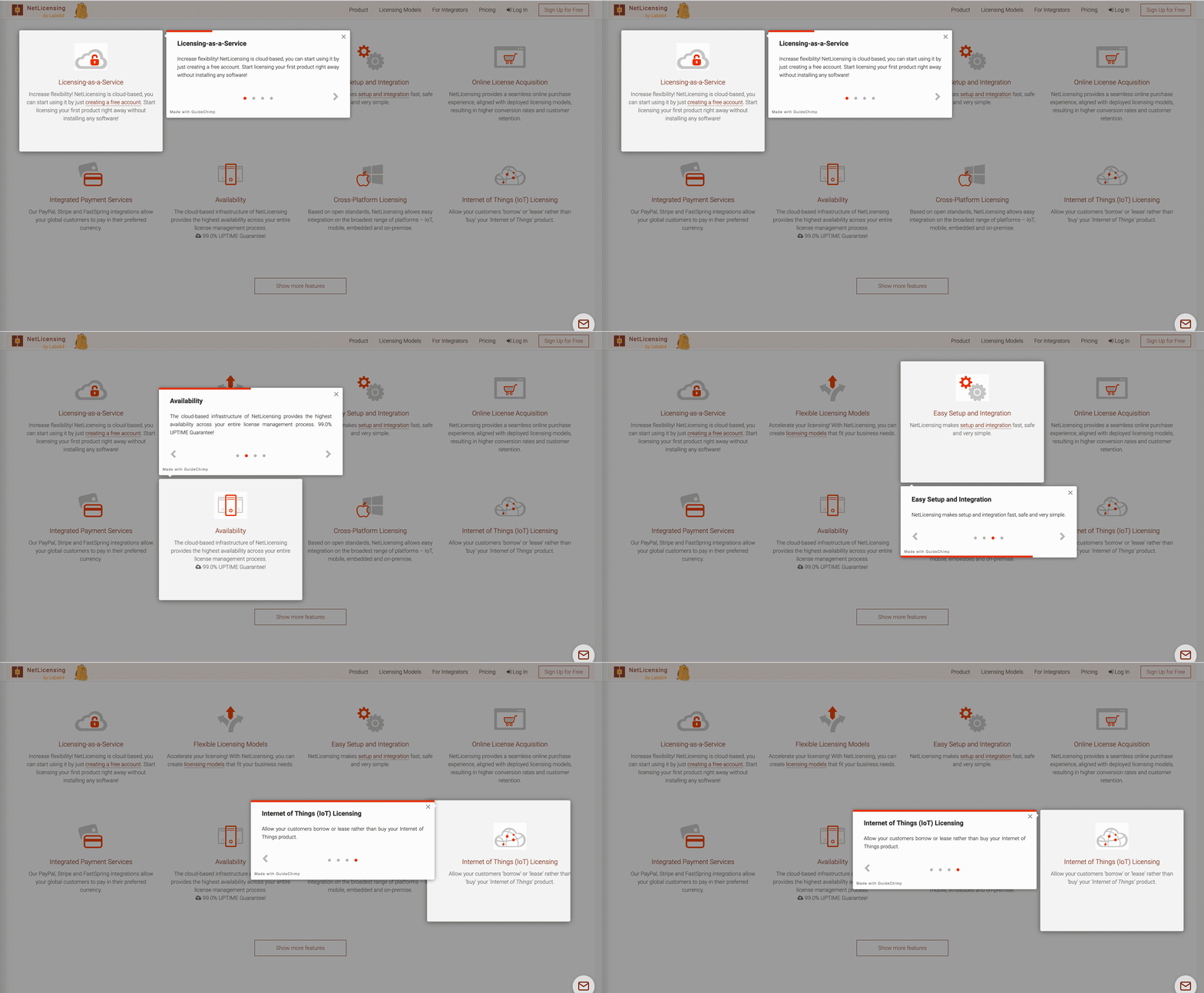
npm run demoMore tours to look at:
- GuideChimp Tour Examples at CodePen
- NetLicensing Changelog: notable NetLicensing features
- NetLicensing Licensing Models and Features: sample tours
- NetLicensing Onboarding: user onboarding tour in the NetLicensing UI
- React Example (source) at CodeSandbox by @giubatt
You need Node.js ^22.23.4, ^24.22.1 or >=26.12.1.
npm ci
npm run lint
npm test        # Vitest, with a coverage gate
npm run build   # writes dist/
npm run dev # rebuild on change| Project | What it is | Where to get it |
|---|---|---|
| GuideChimp | The core library (this repository). | npm, jsDelivr |
| GuideChimp Plugins | Eight extra plugins, built into the guidechimp package under dist/plugins. |
Plugins wiki |
| GuideChimp Chrome Extension | Runs public tours on any website without changing it. | Chrome Web Store |
| GuideChimp Editor | Chrome extension for authoring tours. Early stage. | In development |
| GuideChimp Public Tours | Community-maintained tours for popular websites. | GitHub |
Everyone is welcome. Send pull requests, bug reports or ideas; see CONTRIBUTING.md.
GuideChimp is maintained by Labs64. Contact us for web app consulting, development and training, or to book a demo.
For bugs, questions and discussions, please use GitHub Issues.
GuideChimp is available under the European Union Public License, version 1.2 or a Commercial License. The Commercial License requires a fee for each designated commercial application.
- With the EUPL-1.2, you must release the source code of any program you distribute that uses GuideChimp.
- With a Commercial License, you don't have to disclose your source code.
Commercial GuideChimp plugins need a valid customer account with the assigned plan and additional configuration. It is used to check which functions or plugins your account may use.
The applicable data protection provisions are in the Privacy Policy.