Repository navigation
IME Test
Input method smoke test
The golden standard is Word
-
Add the Japanese input method
-
Settings > Time & Language > Region & language > Add a language > Japanese -
Focus VS Code and switch OS input method to Japanese and choose Hiragana:

-
Type the following words:
sennseiorkonnichihaormikann. Here is how Word looks like doing this: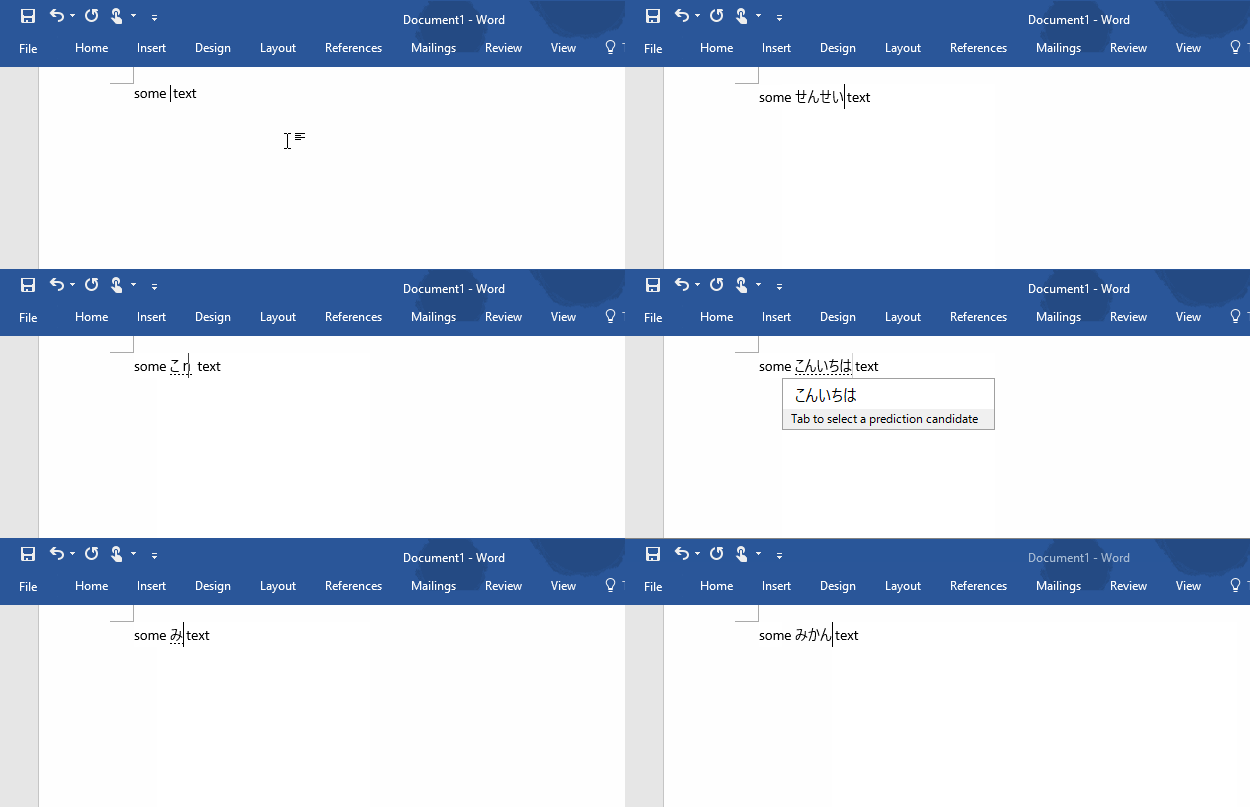
-
sennseishould result inせんせい -
konnichihashould result inこんいちは -
mikannshould result inみかん
-
Add the Korean input method
-
Settings > Time & Language > Region & language > Add a language > Korean -
Focus VS Code and switch OS input method to Korean and choose Hangul:

-
Type
gksrmfand press space. Here is how Word looks like doing this (it should be "한글"):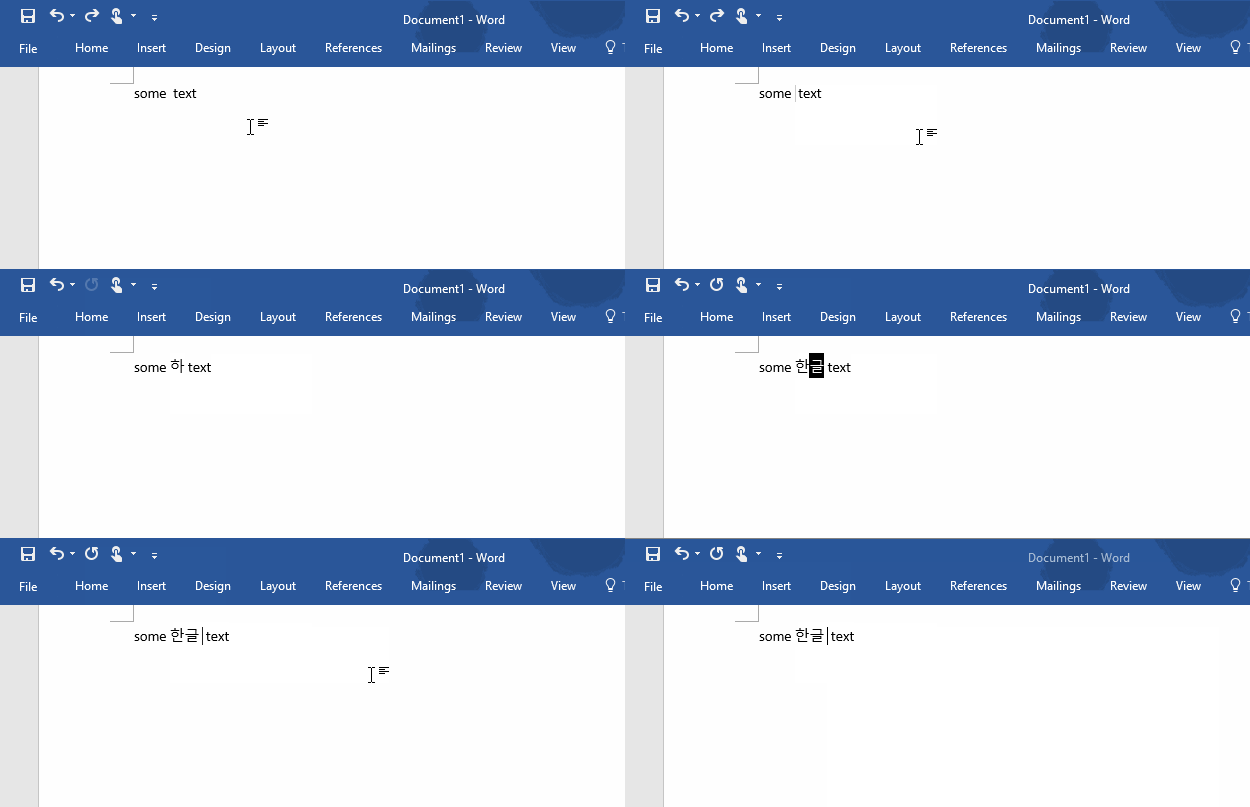
-
Type
dkssudgktpdyin a new file. Here is how Word looks like doing this: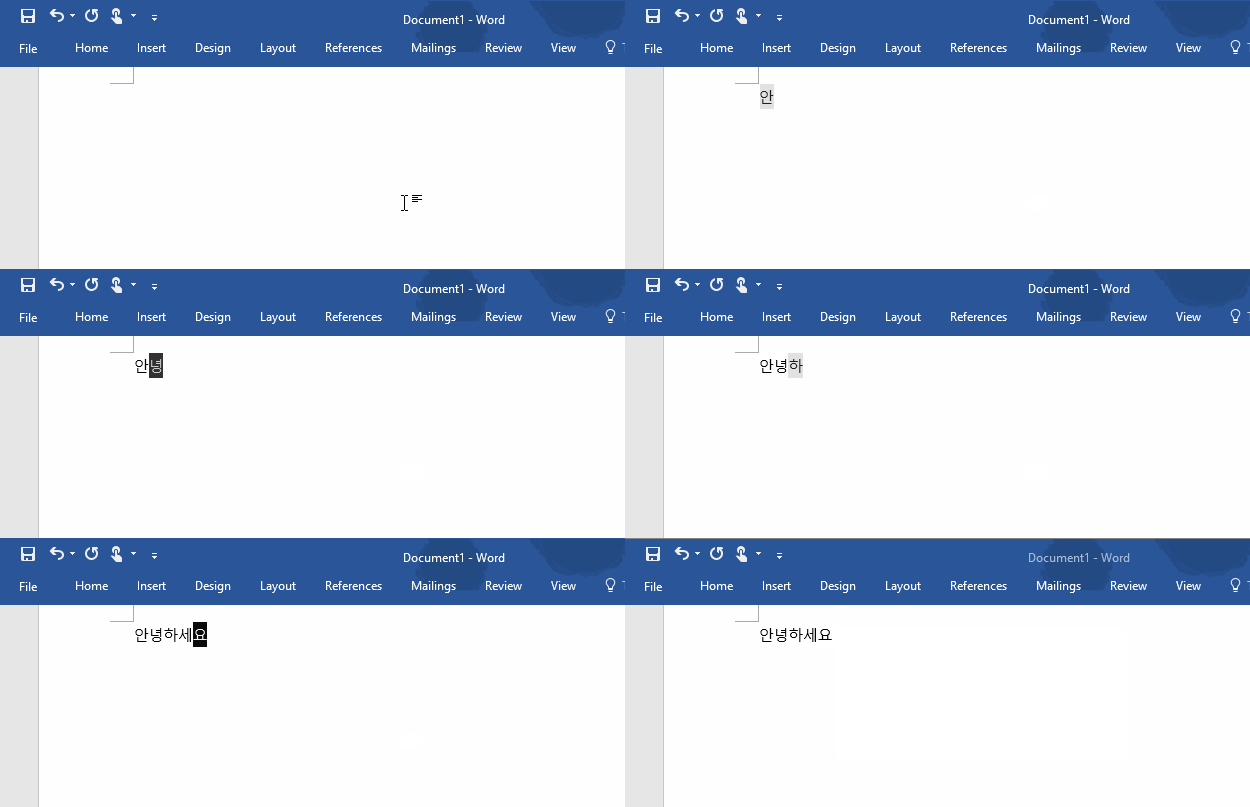
-
Download and Run UniKey
-
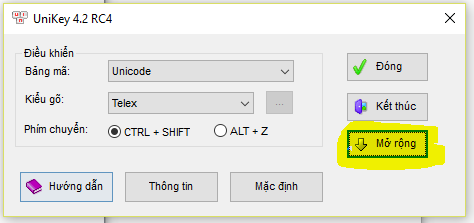
Click the button with a down arrow:
-
Get the following settings:
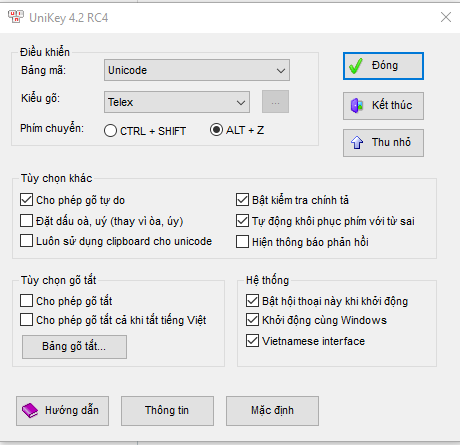
-
Focus VS Code and click once UniKey's system tray entry (next to the date) to toggle on Vietnamese mode (get it to be a V):

-
Type
Tooi=> it should transform to => Tôi. Here is how Word looks like doing this: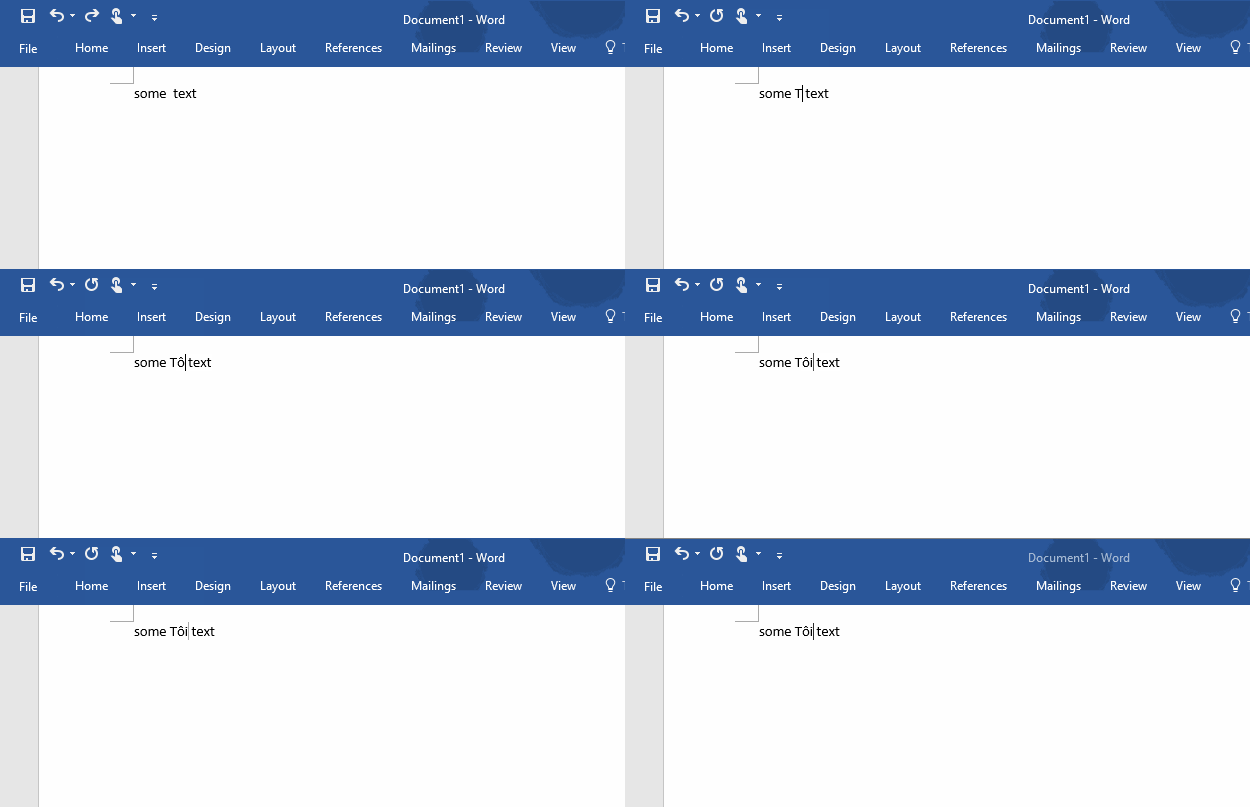
-
Add the Chinese (Simplified) input method
-
Settings > Time & Language > Region & language > Add a language > Chinese (Simplified) -
Focus VS Code and switch OS input method to Chinese and choose Chinese mode:

-
Type
.or,in full width form. They should be typed in immediately. Here is how Word looks like doing this: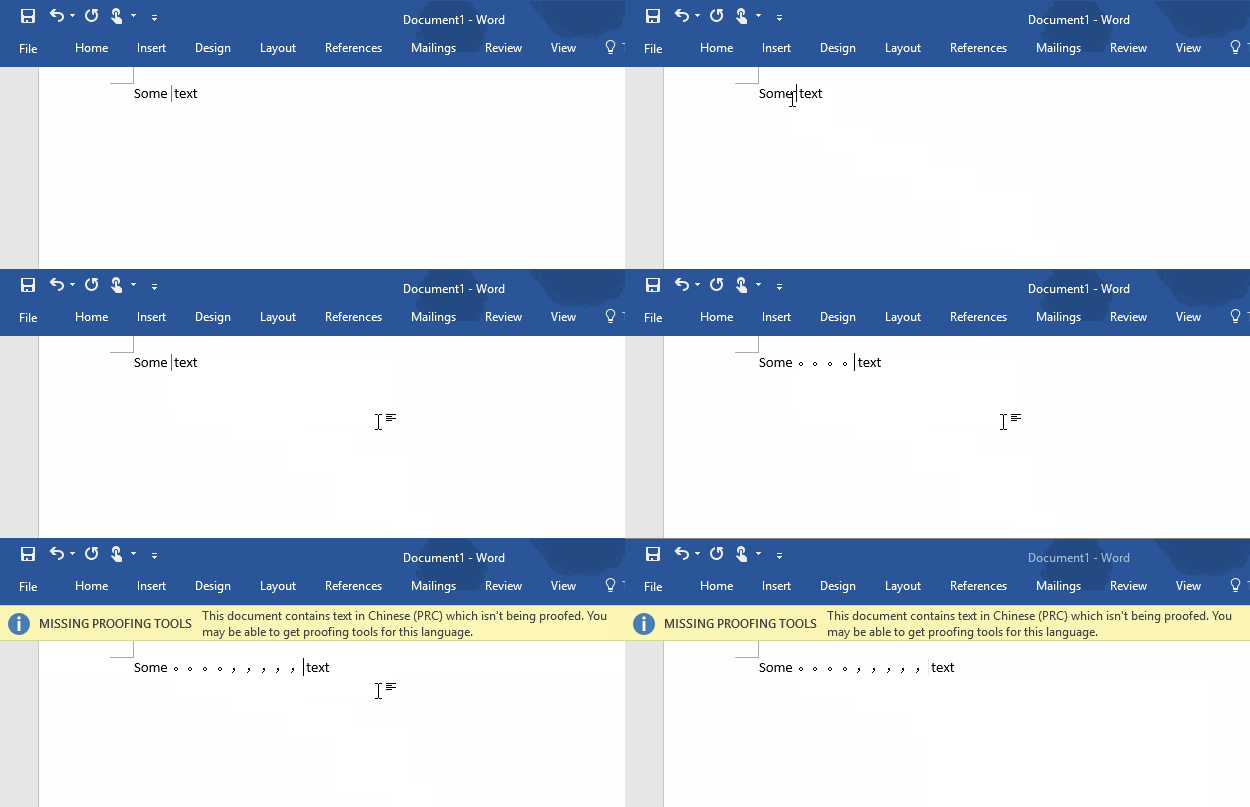
-
Add the Chinese (Simplified) input method
-
Settings > Time & Language > Region & language > Add a language > Chinese (Simplified) -
Focus VS Code and switch OS input method to Chinese and choose Chinese mode and make sure the input method's name is Microsoft Pinyin:
-
Type
nipressSpaceand thenhaoand pressSpace. They should be typed in immediately. Here is how Word looks like doing this: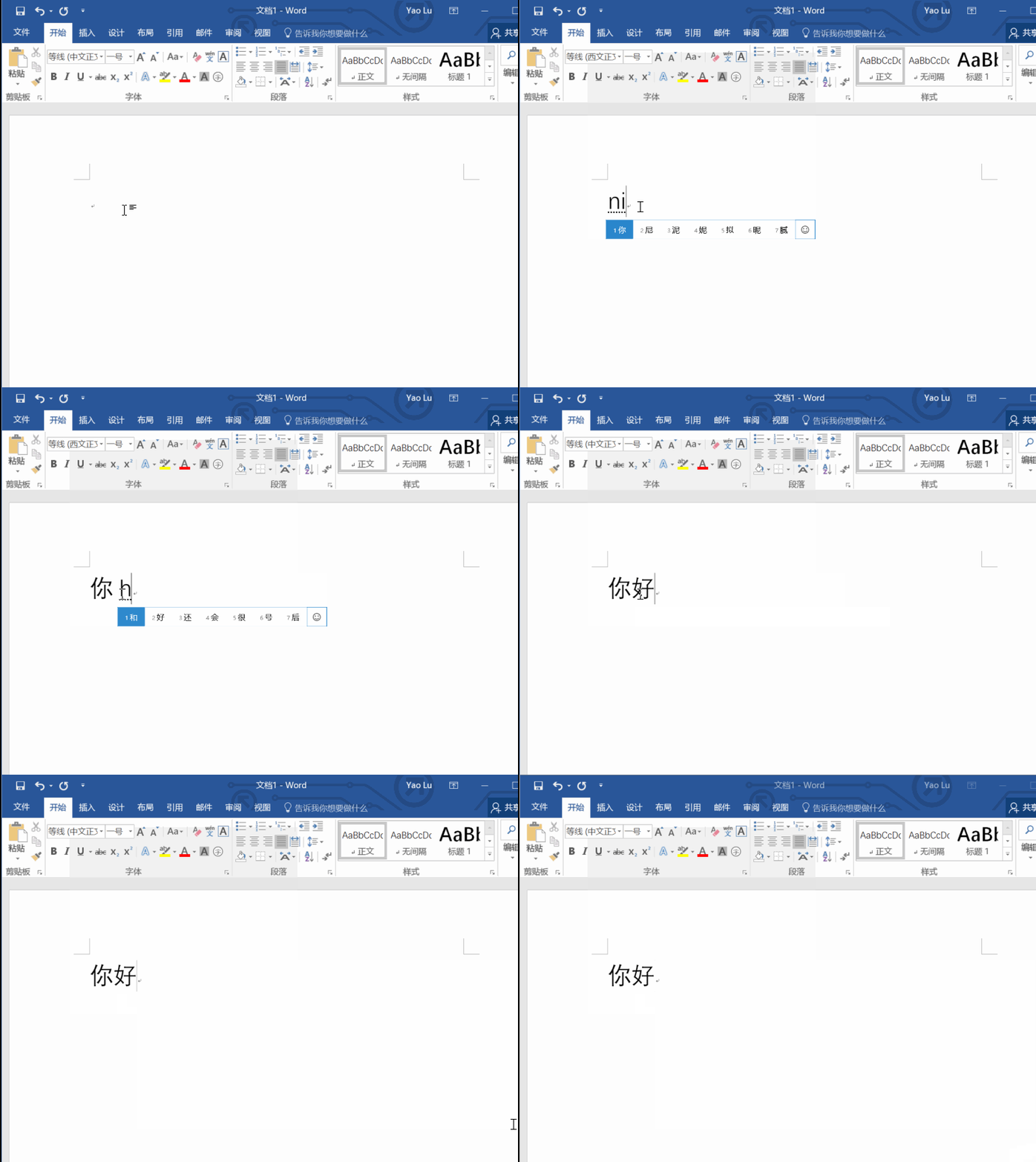
-
Type
haznipressSpace. It should result into哈祝你
--
-
Download Sogou pinyin Chinese input method from this link

-
Install Sogou pinyin Chinese input method
-
Double click downloaded install exe

- Click YES if UAC dialog show

- Click Install immediately in the install UI

- Wait for the process complete, UNCHECK the "install the Sogou browser"

- Uncheck all options, click finish

- Sogou pinyin Chinese input method install successfully
- Click YES if UAC dialog show
- Focus VS Code and switch OS input method to Chinese and choose Chinese mode and make sure the input method's name is Sogou Pinyin:

- Type ni press Space and then hao and press Space. They should be typed in immediately. Here is how Word looks like doing this:

- Type nihao press Space. It should result into 你好
-
System Preferences > Keyboard > Input Sources > Add > Chinese, Tranditional > Zhuyin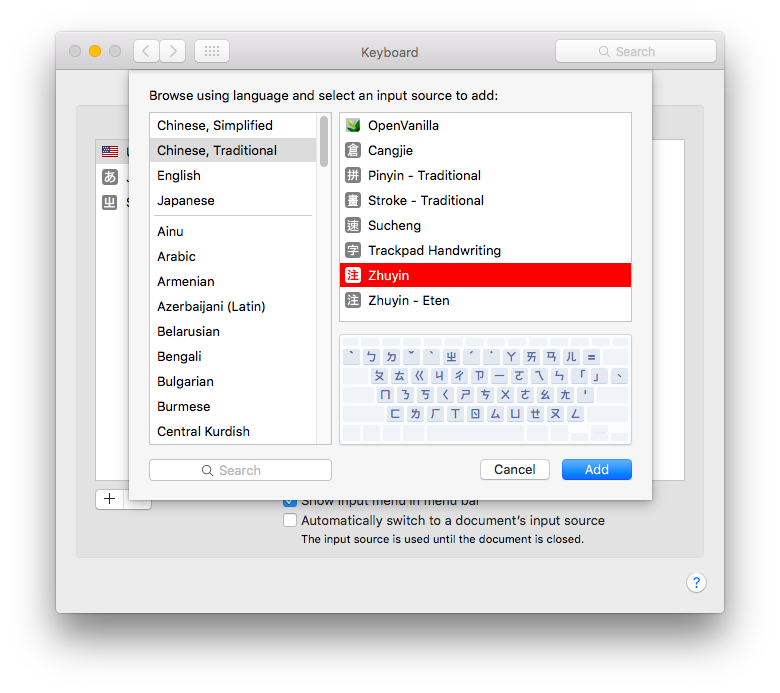
-
Focus VS Code and switch OS input method to Zhuyin (press Command + space)
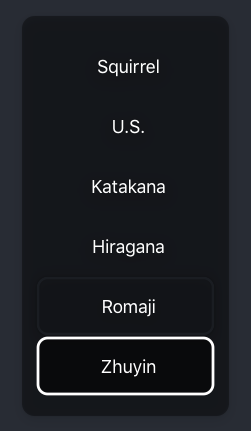
-
Type
su3cl3and press Enter. Here is how World looks like doing this (It should be "你好")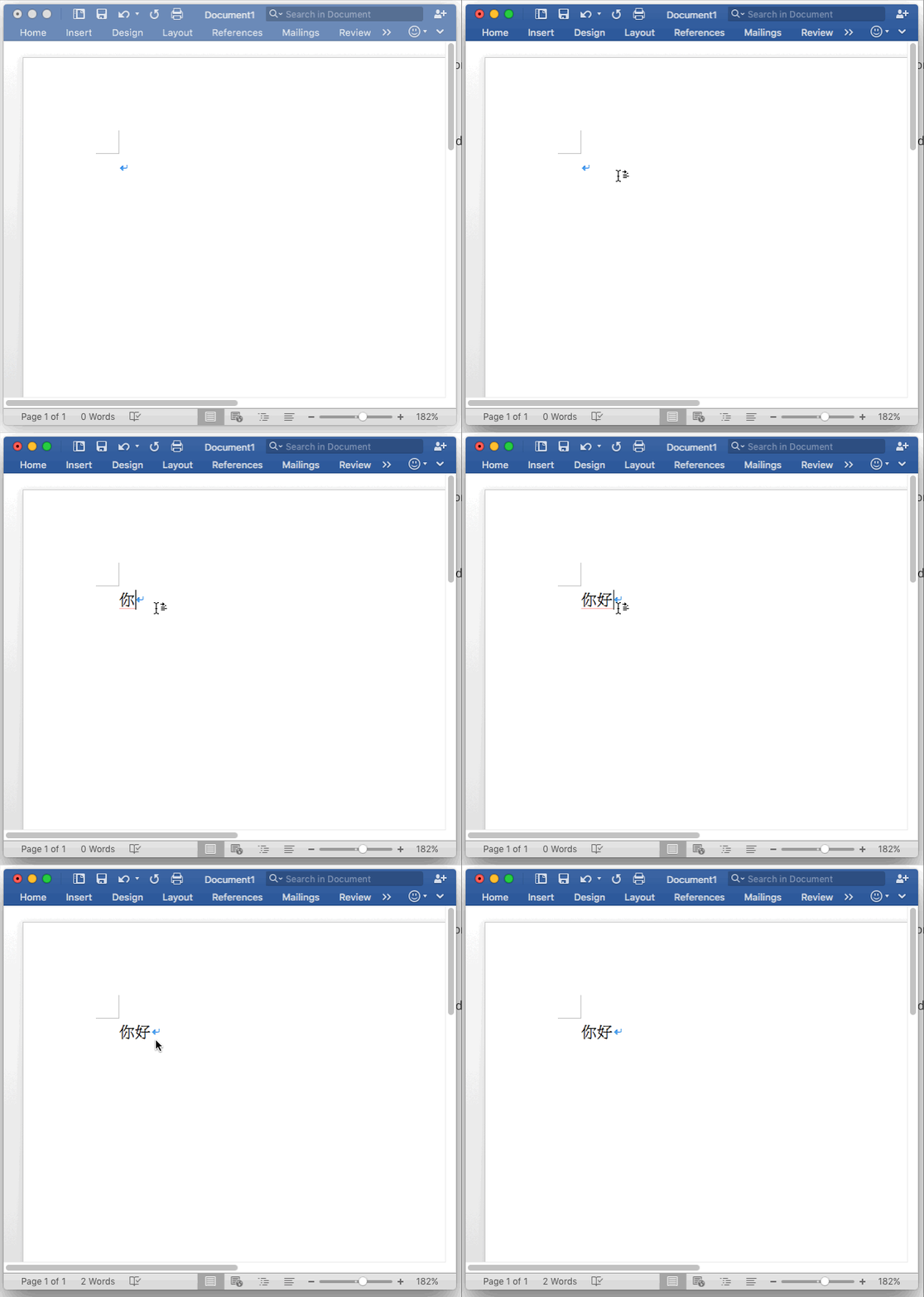
- Long press
e - A pop-up should appear
- Choose a different variant, like an
ewith an accute accent
- Use mozc
- Information for elementary
Content created from: