
A self-hosted markdown notes app, a bit like Obsidian, that you open from your phone, your tablet or your terminal.
Notes live in folders and connect through their [[links]] and #tags. A Go server on PostgreSQL holds them, encrypted, and serves a web app, a CLI and an MCP server for AI agents.
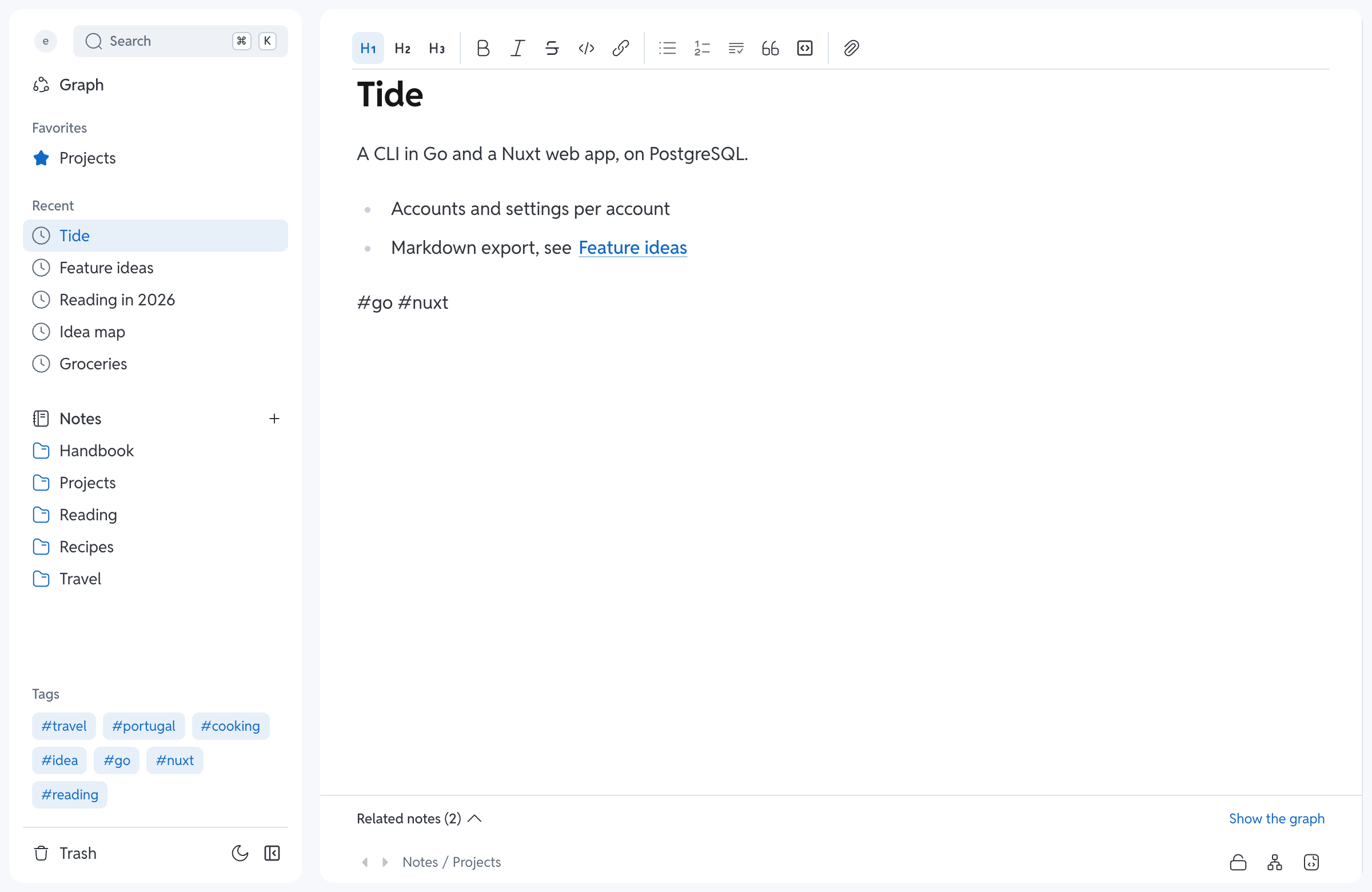
- Writing: a rich markdown editor with a source mode, Mermaid diagrams and LaTeX formulas.
- Organizing: folders, favorites, pins,
#tagswritten in the text, smart folders. - Linking:
[[links]], backlinks, embedded notes (![[Note]]), a graph, broken links spotted. - Finding: a ⌘K palette over titles and text, find and replace across every note.
- History: every note keeps its versions, to compare, restore or fork and merge back.
- Images and files: paste or drop them in a note.
- Accounts: several per server, by invitation, each with its notes encrypted in the database.
- Your look: themes, light and dark mode, snippets, settings that follow you across devices.
- Your data: import an Obsidian vault, export everything as markdown.
The wiki tours the web app screen by screen.
You need Go, Bun and Docker (Colima on macOS).
git clone https://github.com/cyril-fl/tide.git && cd tide
cp .env.example .env    # then fill in the passwords and TIDE_SECRET (openssl rand -base64 32)
make setup              # git hooks
make up                 # Postgres, Silo and the API in Docker, the web app on :3000
Open http://localhost:3000 (localhost, not 127.0.0.1): on an empty database, it asks you to create the first account, which becomes admin. make down stops everything.
Each v* tag publishes the ghcr.io/cyril-fl/tide image (amd64 and arm64), which serves the API and the web app. On the server, put compose.prod.yaml next to a .env copied from .env.prod.example:
docker compose -f compose.prod.yaml up -d                                               # start
docker compose -f compose.prod.yaml pull && docker compose -f compose.prod.yaml up -d   # update
Tide listens on 127.0.0.1:8080: put Tailscale or an HTTPS proxy in front, and set WEB_ORIGIN to the address the browser types. New versions add their tables and columns at startup by themselves.
⚠️ TIDE_SECRETencrypts the notes. Keep a copy in a password manager, never in a backup: without it, the notes are unreadable.
New accounts come from invitation links that the admin makes in the app's settings. Accounts, the admin commands (tide-server user add, reset-password, rotate-secret) and the encryption are detailed in the reference.
tide is the CLI, a client of the API that works against any Tide server:
go install github.com/cyril-fl/tide/cmd/tide@latest
tide login https://notes.example.ts.net
A tour of what it does:
tide add note --content "# Ideas" --parent /Projects     # a missing value opens a form
cat ideas.md | tide edit note /Projects/Ideas --content -
tide show note /Projects/Ideas                            # by path or by UUID
tide move /Projects/Ideas --parent /Archives
tide search recipe --json | jq -r '.[].id'

tide finder               # browse, open, edit in the terminal
tide graph                # walk between notes that share tags
tide recent               # the last changed notes

tide export ~/notes-md    # every note as markdown
tide import ~/Obsidian/vault

tide trash && tide restore <uuid>
tide add token "backup script" --expires 30d   # an API token for a script
tide <command> --help details each command. Titles, tags, links and import rules are in the reference.
tide mcp # an MCP server on stdin/stdout, acting for your `tide login` sessionIt gives an agent (Claude Code, Codex…) 23 tools to read, write, tag, move and trash your notes. For the Claude app on a phone or ChatGPT, the server can also serve them over HTTP with an OAuth sign-in. Setup and precautions: MCP.md (in French).
Everything goes through a JSON API under /api, behind a session cookie or an Authorization: Bearer token. The contract is docs/swagger.yaml; the routes, statuses and security rules are summed up in the reference.
The variables of tide-server (the CLI needs none, its session comes from tide login):
| Variable | Role | Default |
|---|---|---|
POSTGRES_USER, POSTGRES_PASSWORD |
Database credentials | |
POSTGRES_DB |
Database name | tide |
POSTGRES_HOST |
Host | localhost |
PORT |
PostgreSQL port | 5432 |
S3_ENDPOINT |
Address of Silo, without http:// (note-silo:9000 in .env.docker) |
|
S3_ACCESS_KEY, S3_SECRET_KEY |
Silo credentials, which also create it at the first make up |
|
S3_BUCKET |
Bucket for images, created at first launch | |
S3_SECURE |
true to talk to Silo over HTTPS |
no |
TIDE_SECRET |
Encryption key of the notes, 32 bytes in base64 | none: required to write |
TIDE_ADD_USER_MODE |
Who creates an account: invitation or public |
invitation |
TIDE_HOST_NAME, TIDE_HOST_PASSWORD |
Create the first account at startup, then empty them | |
WEB_ORIGIN |
Origin of the web app | none |
CONFIG_FILE |
Replaces the embedded configuration | config/config.yaml, built into the binary |
The commands, their help texts and their flags are defined in config/config.yaml, built in at compile time: rebuild after changing it, or point CONFIG_FILE to your file.
make backup # backups/tide-<date>.sql and the images in backups/tide-<date>.files/To restore (this replaces the whole database; the images are added to those in Silo):
docker compose exec -T postgres sh -c 'psql -U "$POSTGRES_USER" "$POSTGRES_DB"' < backups/<file>.sql
docker compose cp backups/<file>.files silo:/tmp/restore
docker compose exec silo sh -c 'mcli alias set local http://127.0.0.1:9000 "$MINIO_ROOT_USER" "$MINIO_ROOT_PASSWORD" && mcli mirror /tmp/restore local/notes'
make purge erases the notes, folders, tags and images of every account, after a backup (type purge to confirm); accounts and settings stay.
Two binaries come out of this Go module: tide, the CLI and MCP, which only talks to the API; and tide-server, the only one on Postgres and Silo, which runs the API and the web app (serve) and holds the admin commands. The web app is in web/.
| Folder | Content |
|---|---|
cmd/ |
The tide and tide-server binaries, the declaration of the Cobra commands |
config/ |
Configuration and command texts |
cli/ |
Each command of tide, its MCP (cli/cmd-mcp/) and the API client |
core/api/ |
API routes, one per folder |
core/server/ |
tide-server serve, the admin commands, the MCP over HTTP and its OAuth |
core/services/process/ |
Business logic and queries, used by the API |
core/domain/ |
Data models |
web/ |
The web app (Nuxt) |
docs/ |
The OpenAPI contract and the reference |
| Target | Description |
|---|---|
make up / make down |
Starts / stops the stack and the web app (Colima stays running) |
make api |
Rebuilds and restarts the API container |
make test |
Go tests in the <POSTGRES_DB>_test database (ARGS=./core/... to target a folder) |
make e2e |
Browser tests (Playwright) against the stack |
make perf |
Measures the API and the pages on an account of 50,000 generated notes |
make openapi |
Regenerates docs/swagger.yaml (then bun run types in web/) |
make backup / make purge |
See Backup |
make pgsql |
Opens psql, or runs a query with QUERY="..." |
make connect |
Logs the CLI in to an API (TO=local or TO=fedora) |
make setup |
Installs the git hooks (lefthook) |
The stack of compose.yaml: Postgres 18 on 127.0.0.1:5432, Silo on :9000 (console :9001), the API on :8080 and its MCP on :8081/mcp, LibreDB Studio to explore the database, and note-app, a Go container to run Go against the stack.
To use the CLI of the repo on that stack: go build -o "$(go env GOPATH)/bin/tide" ./cmd/tide && make connect TO=local.
Tests run each in a rolled-back transaction of their own database, which they create the schema in. The lefthook hooks run gofmt, Prettier and actionlint, and check the commit prefix (feat:, fix:…). The CI runs on every push and PR: Go format, vet and tests; lint, format, tests, typecheck and build of the app; swagger.yaml and api.d.ts up to date; the e2e on the Docker stack; the server image built.
Cobra, Bun, MinIO Go Client, the MCP Go SDK, Plum, Nuxt and Nuxt UI, Tiptap, KaTeX and Mermaid, on Silo and LibreDB Studio.